Stir | Import Recipes, Plan Meals, Track Nutrition
NEW Import any TikTok recipe in one tap

Every recipe you save, finally cooked.

Share from TikTok, Instagram or any website and Stir turns it into a clean recipe with nutrition, a shopping list and a spot in your meal plan.
4.8
Free to download
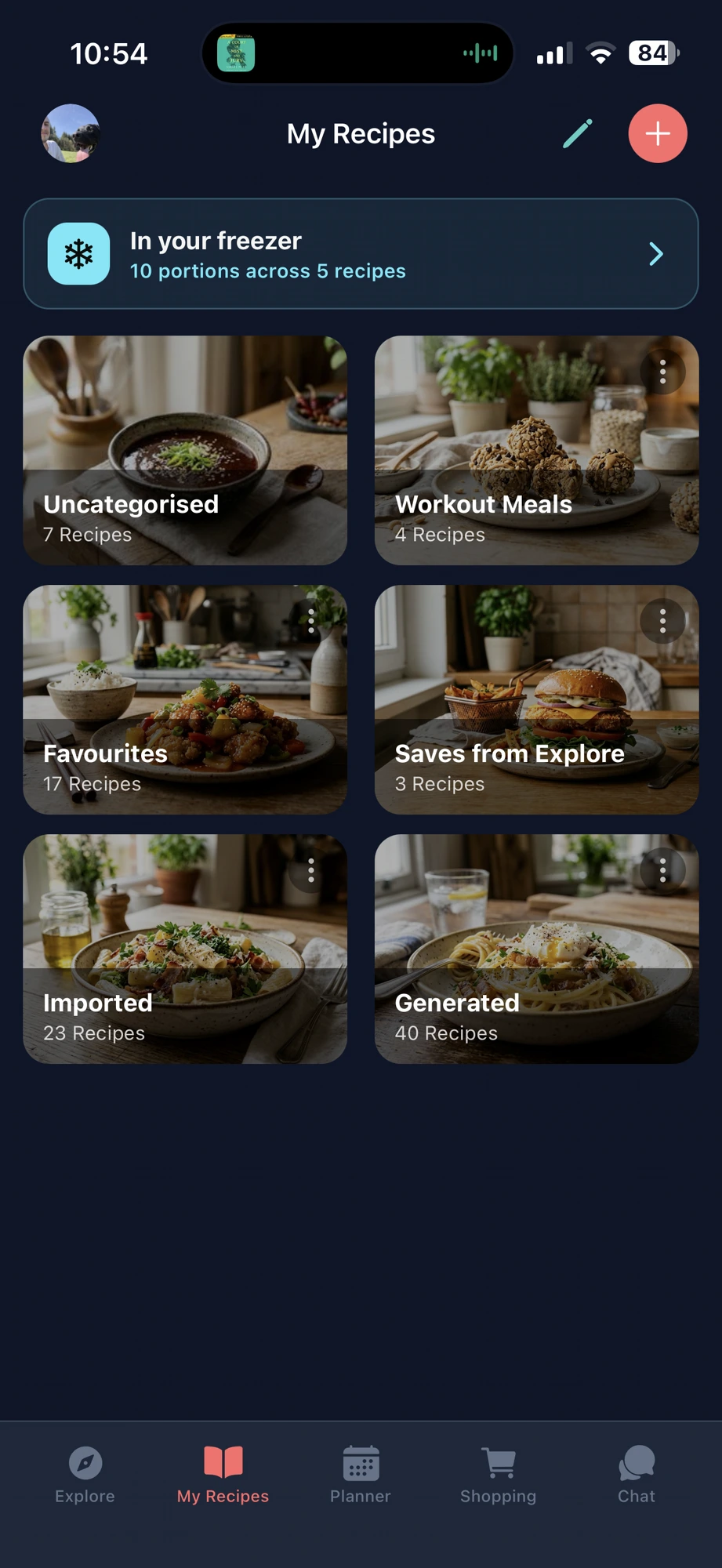
Stir My Recipes folders and freezer tracker
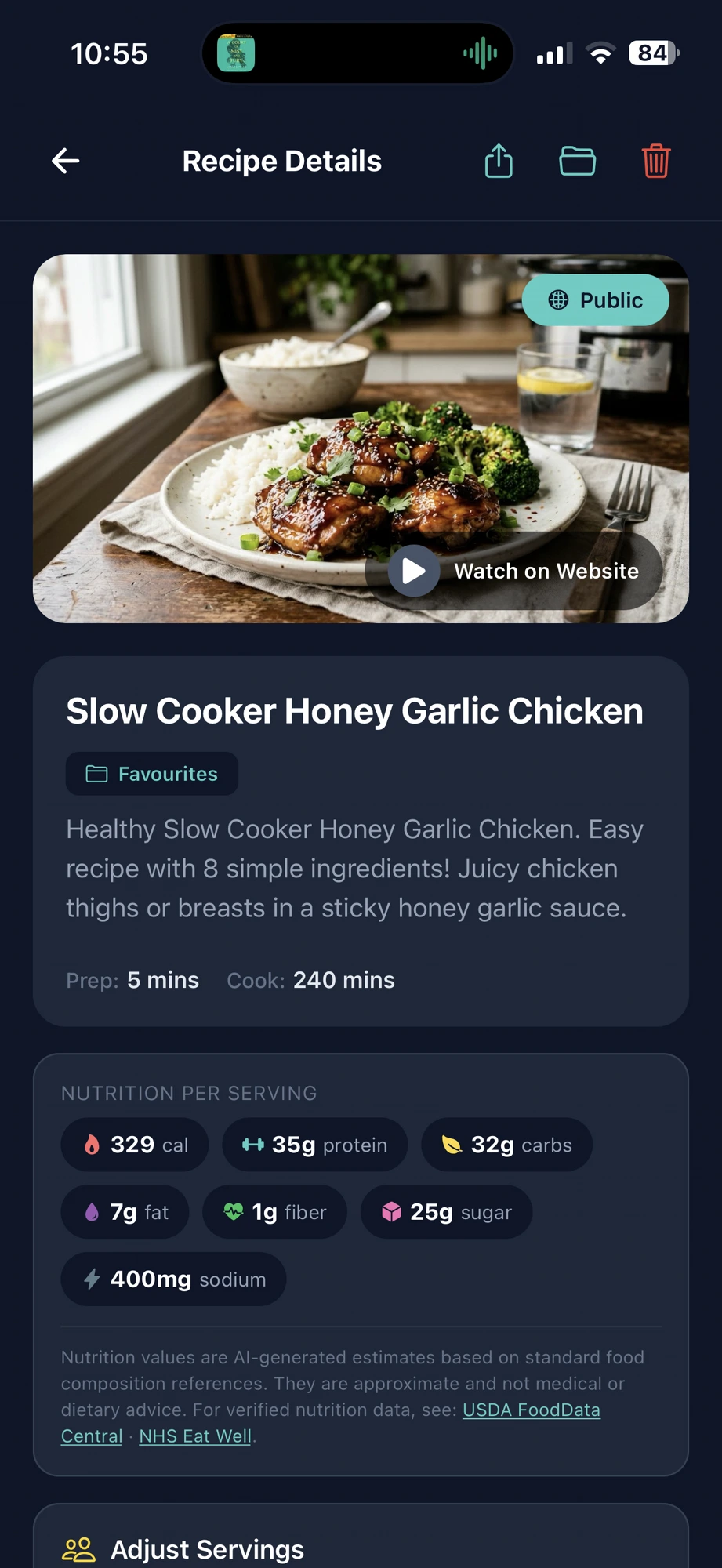
Stir recipe details with nutrition per serving
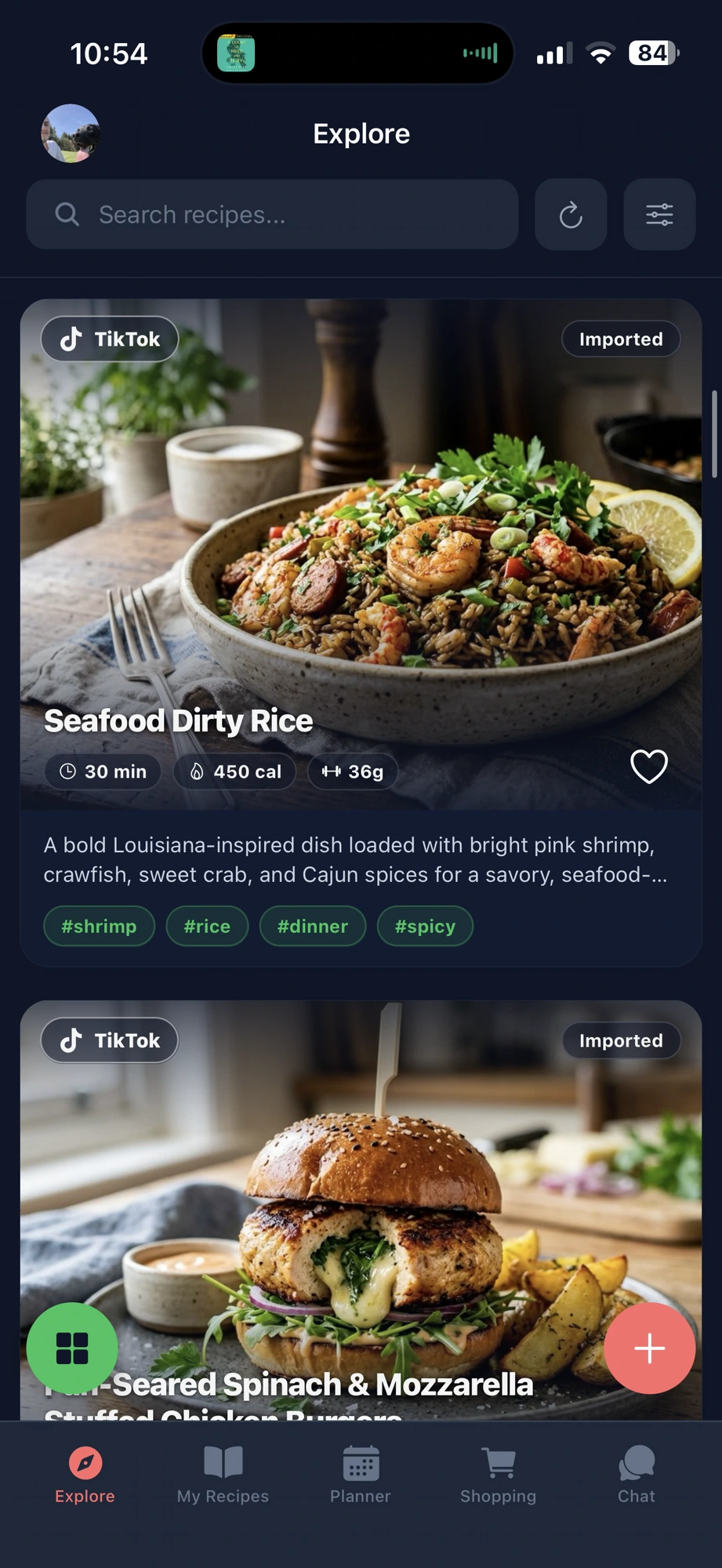
Stir Explore feed with TikTok imported recipes
Imported from TikTok
450 cal · 36g protein
10 portions frozen
TikTokInstagramYouTubePinterestFacebookAny recipe websiteCookbook photos TikTokInstagramYouTubePinterestFacebookAny recipe websiteCookbook photos

0+

Recipes imported

0s

Average import time

0

Nutrients tracked

Free

To download & explore

Everything you need

From "ooh, I'd make that" to dinner on the table.

Instant import

Saw it on TikTok? It's in Stir in seconds.

Tap share on any TikTok, Instagram, YouTube or Pinterest post, or paste any recipe link. Stir pulls out the ingredients, the steps and a photo. No typing, no screenshots you'll never look at again.

TikTok Instagram YouTube Pinterest Any website
Explore feed of imported recipes
Recipe imported
Recipe folders and freezer tracker
5 meals ready to defrost
Organise & freeze

Your recipes, sorted. Your freezer, remembered.

Put recipes into folders like Workout Meals or Favourites. Batch cooked? Log the portions and Stir keeps track of what's in your freezer, so nothing gets forgotten at the back.

In your freezer

10 portions across 5 recipes

Smart shopping

One tap from favourite to shopping list.

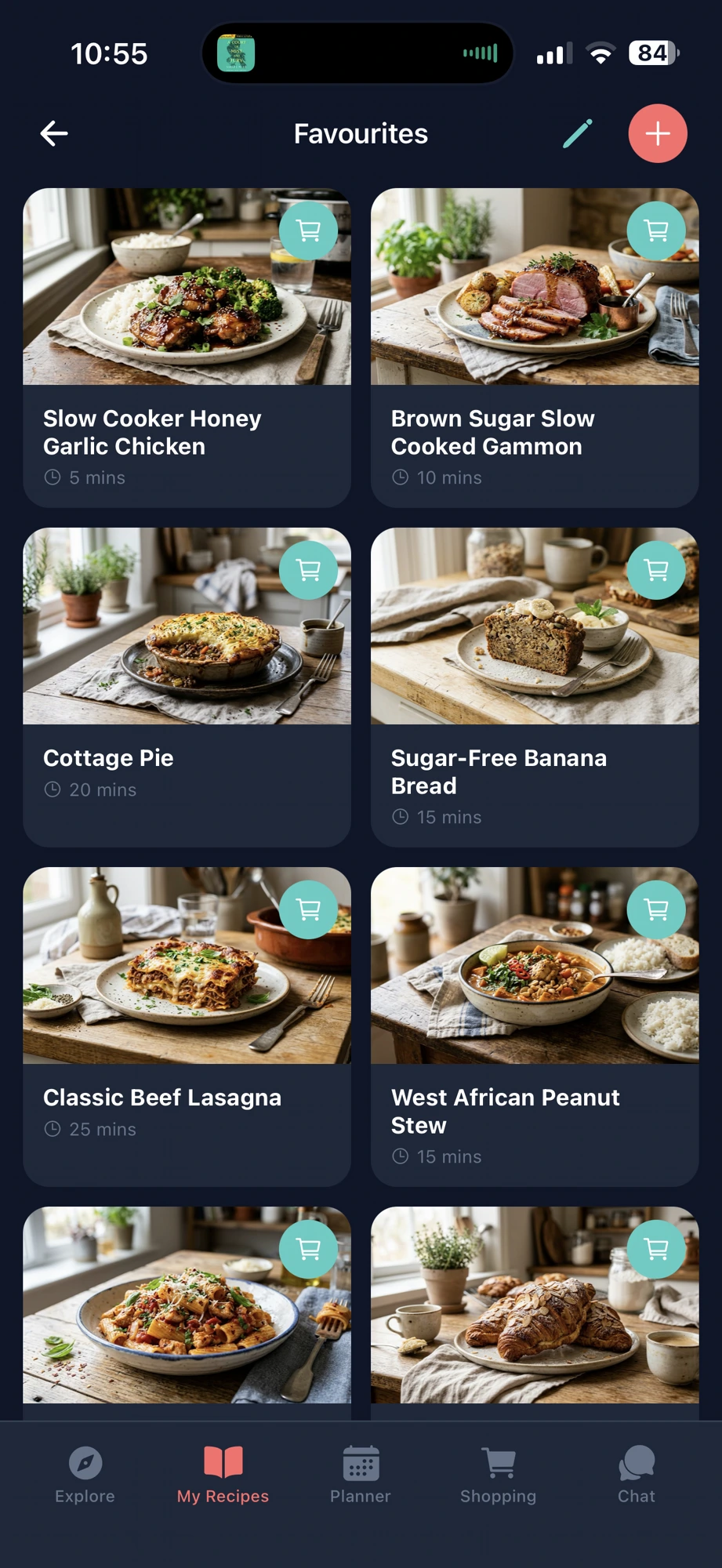
Hit the cart on any recipe and the ingredients go straight onto your list. Stir combines duplicates (500g + 300g chicken = 800g), sorts everything by aisle and works offline in the shop.
800g chicken thighs
3 tbsp honey
1 head of broccoli
Favourites with add to shopping list buttons
8 items added
Recipe details with nutrition per serving
35g protein
Nutrition

Know what's on your plate before you cook it.

Every recipe gets 7 nutrients per serving worked out automatically: calories, protein, carbs, fat, fibre, sugar and sodium. Change the servings and everything updates.

329 cal 35g protein 32g carbs 7g fat

Your own chef assistant

Tell it what's in the fridge and get ideas, swaps and techniques on the spot.

What can I make with chicken, rice and broccoli?

Plan the week in minutes

Drop recipes into your week and your shopping list builds itself.

MonTueWedThuFriSatSun
Pasta
Stir fry
Salad
Curry
Tacos
Burger
Roast

Simple as 1, 2, 3

How it works

1

Share or paste a link

Found a recipe on TikTok, Instagram or a food blog? Share it to Stir or paste the link.

2

Stir does the rest

Ingredients, steps, nutrition and a photo are pulled out instantly. No manual typing.

3

Plan, shop, cook

Add it to your week, get your shopping list and start cooking. All in one app.

Loved by home cooks

What people are saying

"I used to screenshot recipes from TikTok and lose them. Stir imports them perfectly with one tap. Absolute game changer for meal prepping."

Sarah M.

"The shopping list feature alone is worth it. I plan my week on Sunday night and the list is ready for my Monday shop. No more forgetting things."

James P.

"I love being able to ask what to cook with what I have. It's like having a chef friend you can text at any time."

Emily R.

"Finally an app that tracks nutrition properly. I can see the macros per serving for every recipe. Perfect for my fitness goals."

Tom K.

"My recipe collection was scattered across 5 different apps. Now everything is in Stir. The meal planner makes my week so much easier."

Lucy W.

"I used to screenshot recipes from TikTok and lose them. Stir imports them perfectly with one tap. Absolute game changer for meal prepping."

Sarah M.

"The shopping list feature alone is worth it. I plan my week on Sunday night and the list is ready for my Monday shop. No more forgetting things."

James P.

"I love being able to ask what to cook with what I have. It's like having a chef friend you can text at any time."

Emily R.

Got questions?
Frequently asked questions

Where can I import recipes from?
Share directly from TikTok, Instagram, YouTube, Pinterest, Facebook, or any recipe website straight to Stir for instant importing. You can also copy and paste the link. Stir automatically extracts all the ingredients, instructions, nutrition info, and photos.
Is Stir free to use?
Yes! You can use Stir for free with a generous set of features. Premium unlocks unlimited recipe imports, advanced chat, and more. There's no commitment and you can cancel anytime.
Is Stir available on both iOS and Android?
Absolutely! Download Stir from the Apple App Store or the Google Play Store.
How does the smart shopping list work?
When you add recipes to your meal plan, Stir automatically generates a consolidated shopping list. If two recipes both need chicken, Stir combines the quantities (e.g. 500g + 300g = 800g) so you buy exactly what you need. You can also add individual items manually.
What makes Stir different from other recipe apps?
Stir combines recipe importing, meal planning, nutrition tracking, smart shopping lists, and a chef assistant all in one beautifully designed app. Most apps do one of these things. Stir does all of them, making everything faster and more personal.
Stir app icon

Ready to actually cook what you save?

Download Stir free and import your first recipe in under a minute.

Free to download · No card needed